March 17th, 2025
Welcome Booking – Booking Restrictions & UI Updates!
Today, we’re rolling out a small but impactful update to Welcome Booking, addressing building admin requests for better booking controls and clarity in personal settings.
🔹 What’s New?
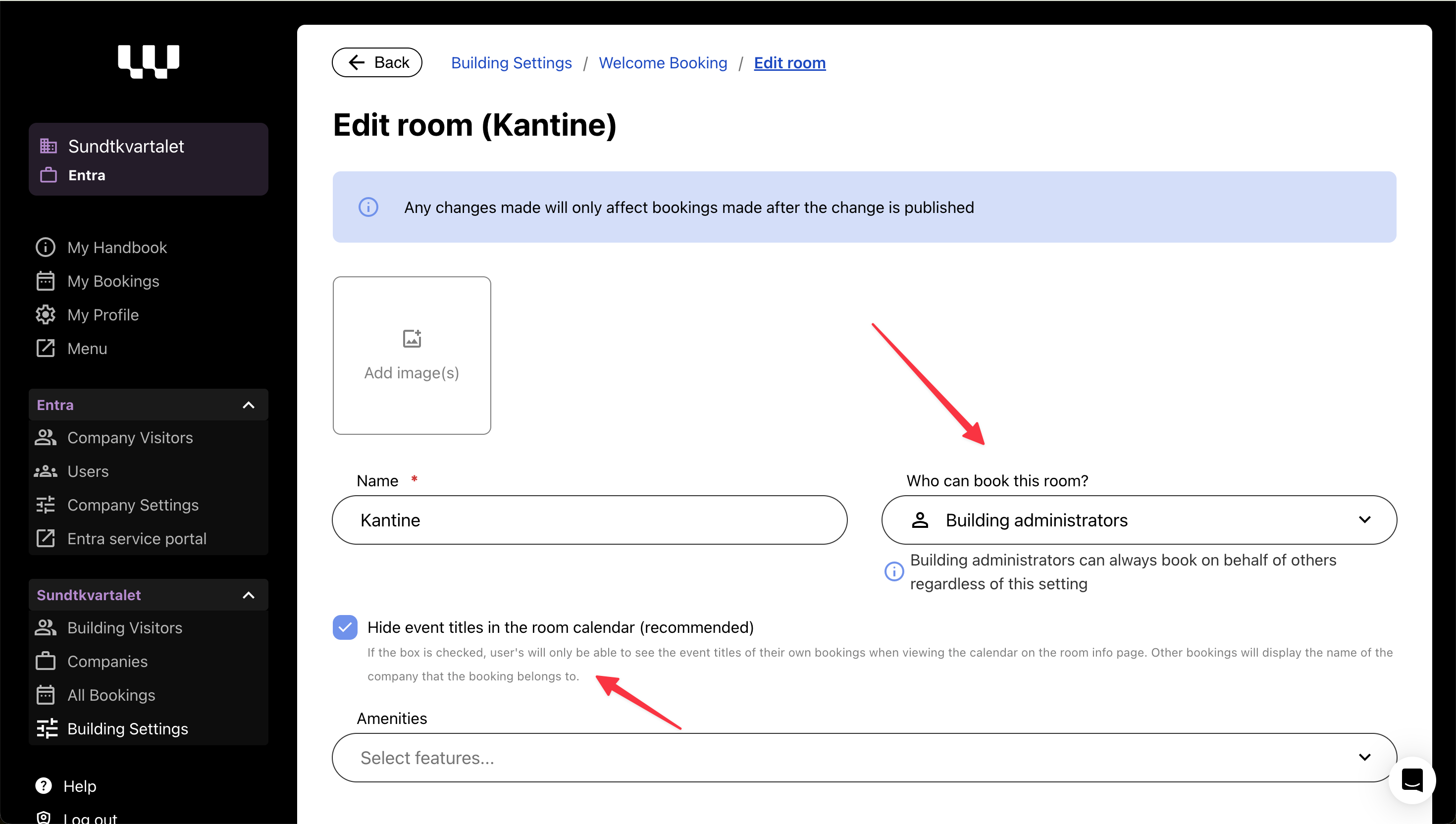
✔ Restricting who can book certain rooms – Building admins can now limit room bookings to either all users, company admins or building admins, while still allowing all users to see the room availability.
✔ Temporarily disable Welcome Booking – Buildings now have the option to turn off booking functionality when needed.
🔎 Booking Restrictions – Why?
Several buildings have requested more control over who can book specific spaces:
🏢 Canteen & restaurant areas – Some locations require booking restrictions to avoid misuse.
🏋️ Gyms, rooftop terraces, and fitness rooms – Access should be limited to specific users.
🍽️ Shared social spaces – Some buildings prefer that only designated users manage bookings.
How It Works
New room setting: Limit bookings to either all users, company admins or building admins.
All users can still view rooms, but a banner will inform them if they lack booking permissions.
Visibility toggle for event titles: Choose whether event titles are visible in the calendar or if only the company name is displayed.
📌 Bonus: Personal Menu Updates

We’ve updated menu names to improve clarity for all users:
My Visits / Mine besøk
My Access / Min adgang
My Bookings / Mine reservasjoner
My Profile / Min profil