March 17th, 2025
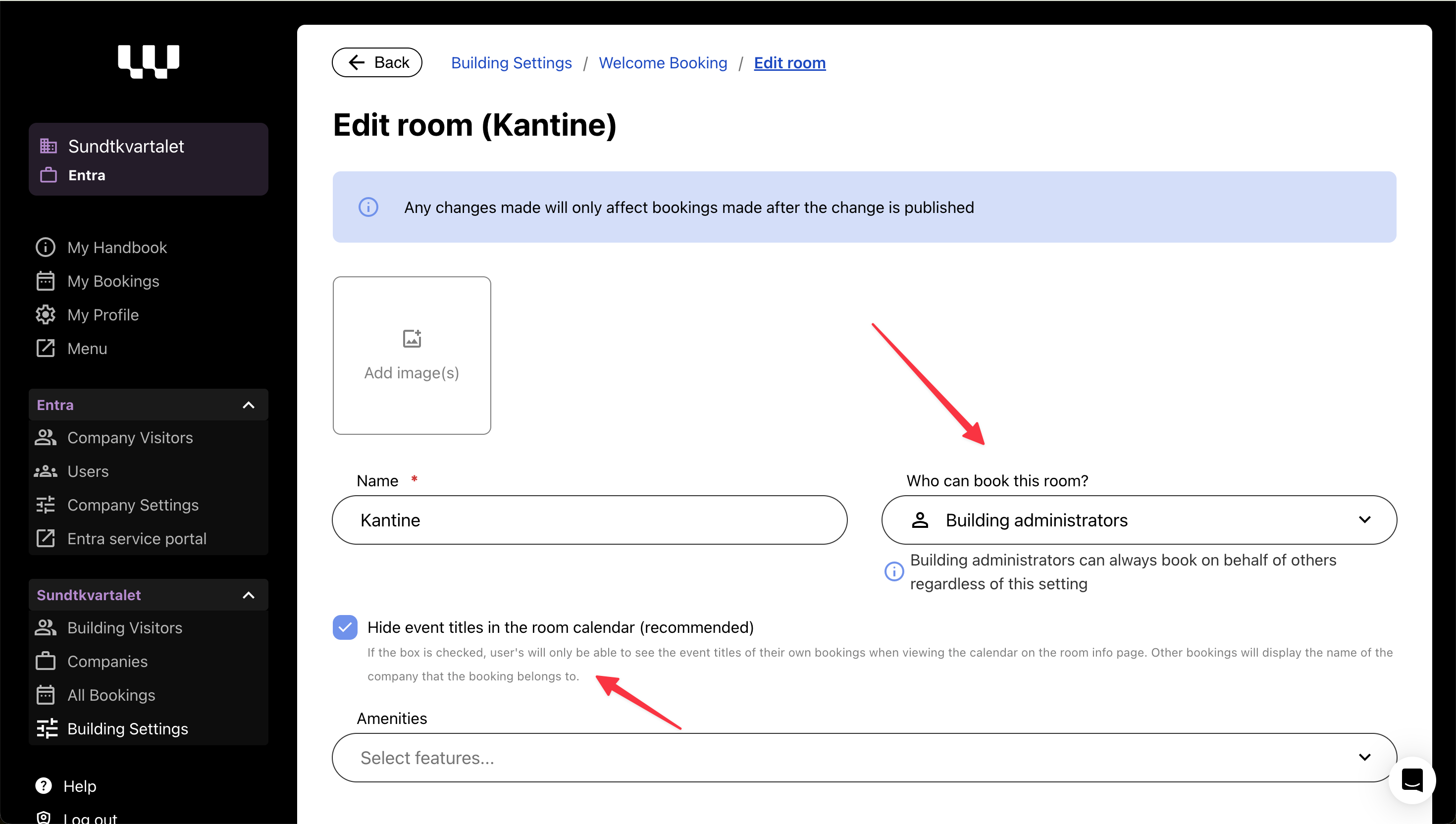
Today, we’re rolling out a small but impactful update to Welcome Booking, addressing building admin requests for better booking controls and clarity in personal settings.
🔹 What’s New?
✔ Restricting who can book certain rooms – Building admins can now limit room bookings to either all users, company admins or building admins, while still allowing all users to see the room availability.
✔ Temporarily disable Welcome Booking – Buildings now have the option to turn off booking functionality when needed.
🔎 Booking Restrictions – Why?
Several buildings have requested more control over who can book specific spaces:
🏢 Canteen & restaurant areas – Some locations require booking restrictions to avoid misuse.
🏋️ Gyms, rooftop terraces, and fitness rooms – Access should be limited to specific users.
🍽️ Shared social spaces – Some buildings prefer that only designated users manage bookings.
How It Works
New room setting: Limit bookings to either all users, company admins or building admins.
All users can still view rooms, but a banner will inform them if they lack booking permissions.
Visibility toggle for event titles: Choose whether event titles are visible in the calendar or if only the company name is displayed.
📌 Bonus: Personal Menu Updates

We’ve updated menu names to improve clarity for all users:
My Visits / Mine besøk
My Access / Min adgang
My Bookings / Mine reservasjoner
My Profile / Min profil
March 11th, 2025
Improved
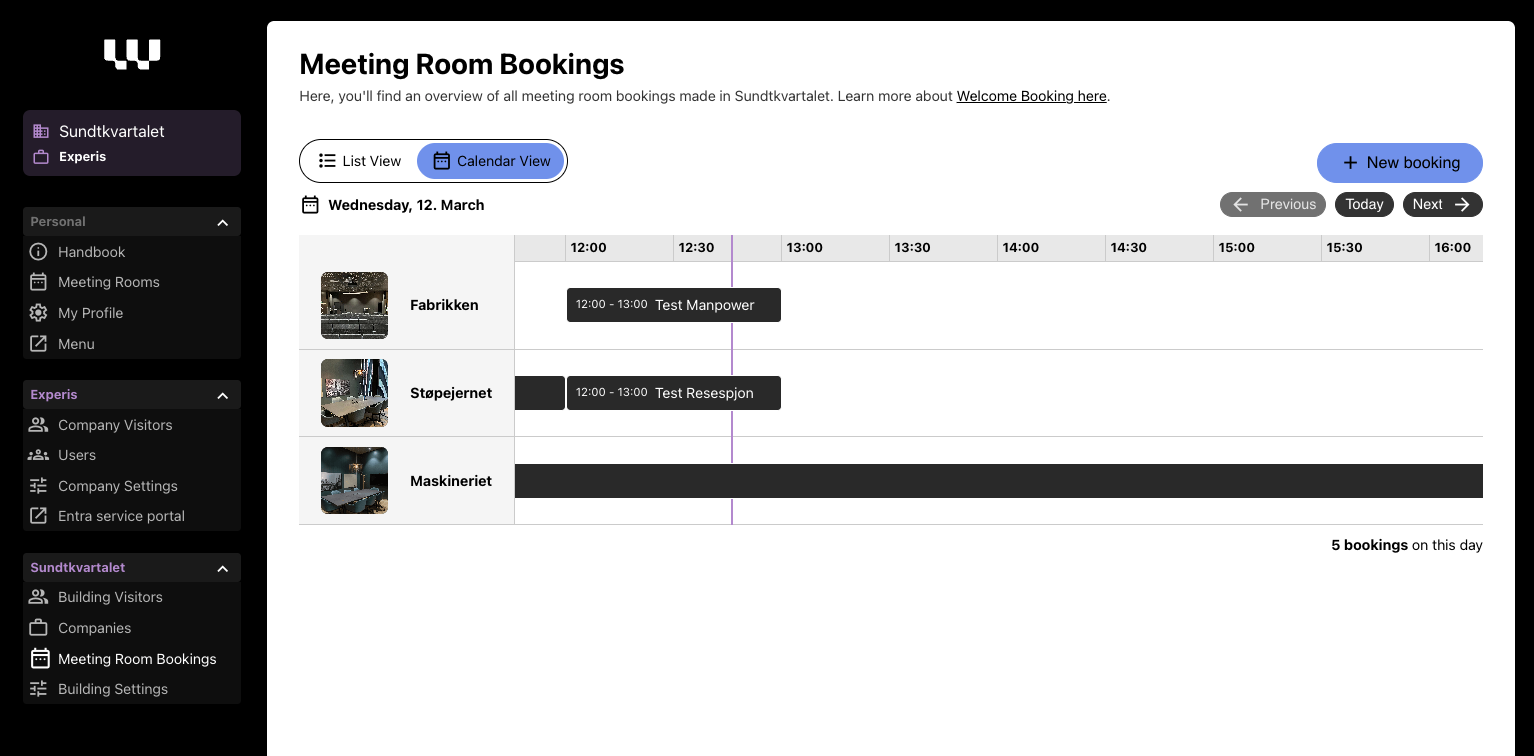
We’re continuously improving Welcome Booking, and thanks to valuable feedback from our users, a set of key enhancements is now live!
What’s New?
✔ Support for pricing on paid meeting rooms – Buildings offering paid meeting rooms can now set prices easily.
✔ Improved swimlane view for building admins – A clearer overview to see bookings across all meeting rooms in the building.
✔ Company name visibility on bookings – Users can now see which company made a booking, while details remain private with a "Busy" status.
✔ Quick add to calendar – Seamlessly add your booking to your calendar with one click.

March 3rd, 2025
New
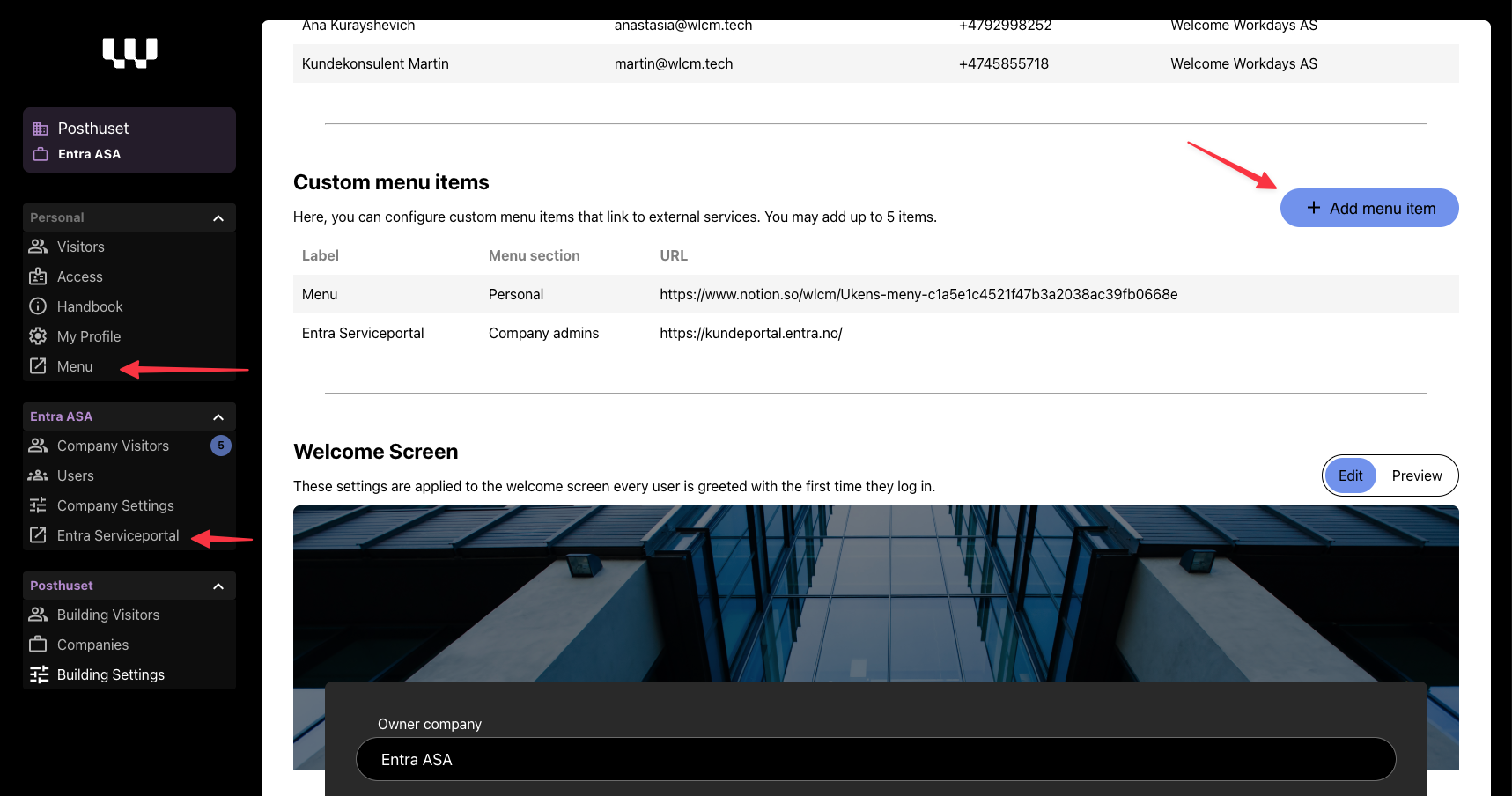
We’ve just rolled out Custom Menu Items – a new way to give tenants and tenant admins quick access to key third-party services directly from Welcome Workdays.
What’s New?
Building admins can now configure up to five custom menu items for their building. These items can be used to link to essential services such as:
Service request portals (e.g., Storebrand’s FDV portal for tenant administrators)
Canteen menus (e.g., Entra’s weekly food menu)
Parking registration info
Other building-specific third-party tools
Each menu item includes:
✔ Custom Name (Norwegian & English)
✔ Visibility Settings (All users or Tenant Admins only)
✔ Outbound URL (Opens in a new tab with an outbound link icon)
💡 How to Configure?
Admins can add and manage these links under Building Settings in the Welcome Workdays admin panel.

🔎 Why This Matters?
Makes Welcome Workdays the centralized place for tenants to find important services
Reduces the need for manual communication (e.g., emails about menus or service portals)
Keeps third-party tools easily accessible without cluttering the handbook
🚀 Get Started!
Head over to Building Settings now to set up your custom menu items!
February 11th, 2025
New
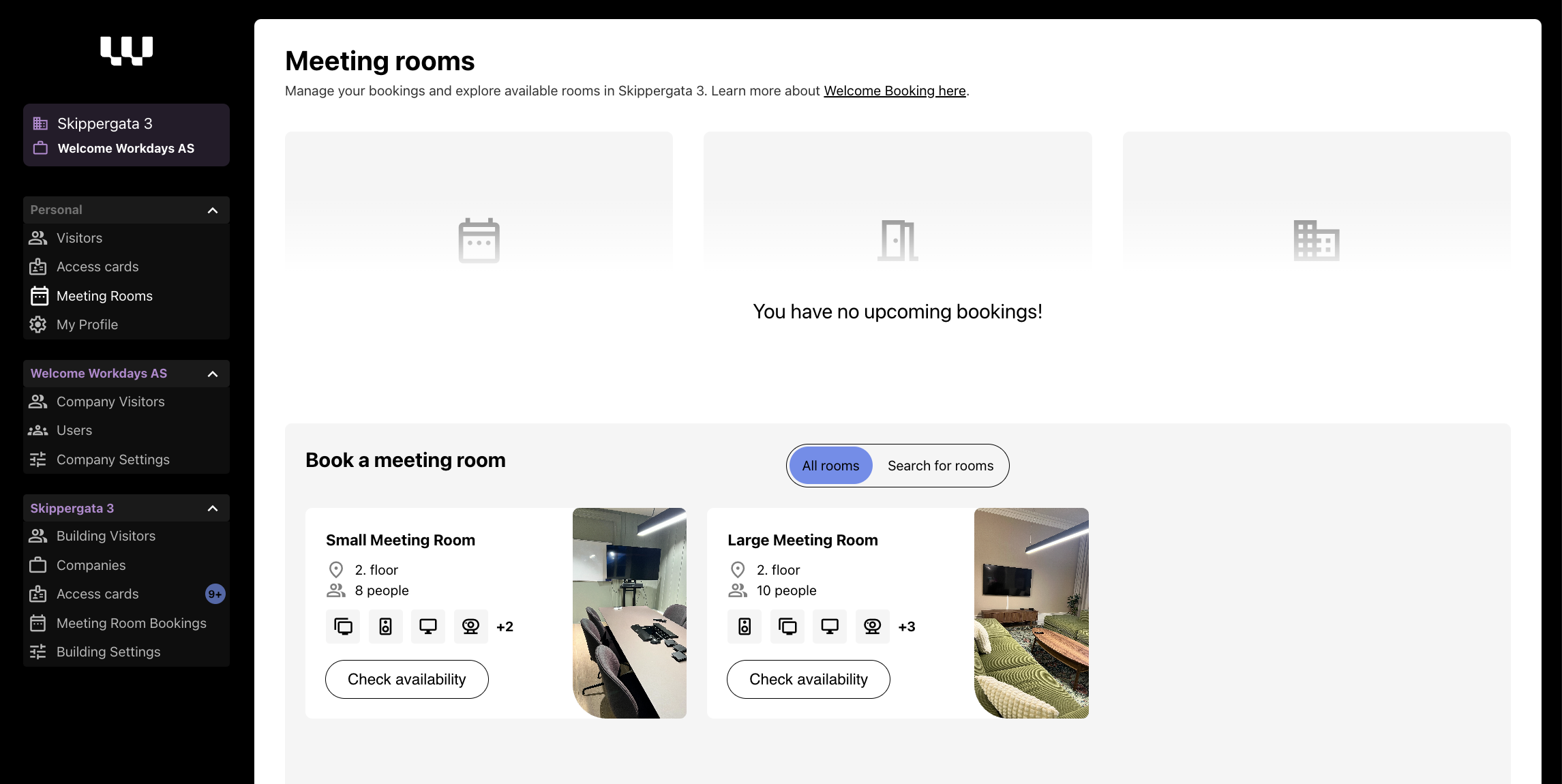
In Welcome Workdays HQ we're excited to introduce Welcome Booking - our new way to handle shared meeting rooms in your office building. You know, the ones in common areas that everyone can use, like auditoriums or shared meeting spaces (not the ones inside your office though - tenant spaces you can best manage yourself 😉).
What's cool about it?
Spot available rooms in a snap - see everything from capacity, location and available equipment.
Book rooms two ways: either pick your favourite room and find a time, or find available rooms that match your requirements and time - we'll show you what's free
Get instant confirmation emails when you book or cancel
Check out all the room features with our neat little icons (we love icons! 🎯)
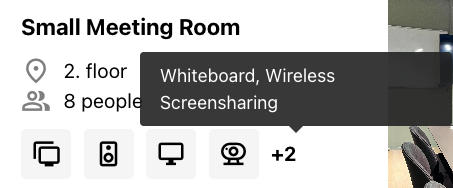
Room information at a glance:
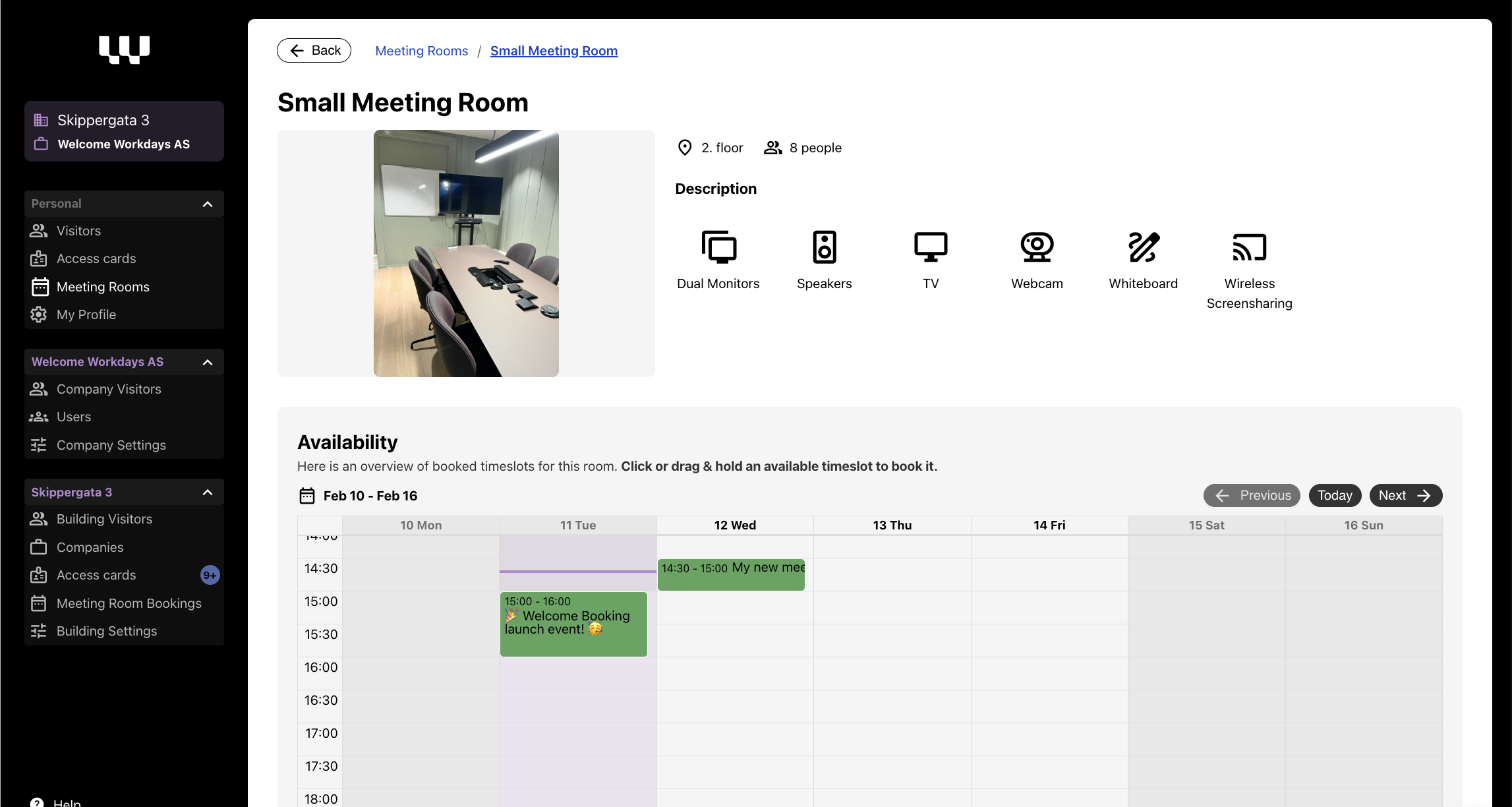
View room capacity and location
See available equipment and features with clear icons
Check real-time availability with an interactive calendar - book right in the calendar.
Book in 30-minute increments
🏢 Are you a building admin? It is easy to manage:
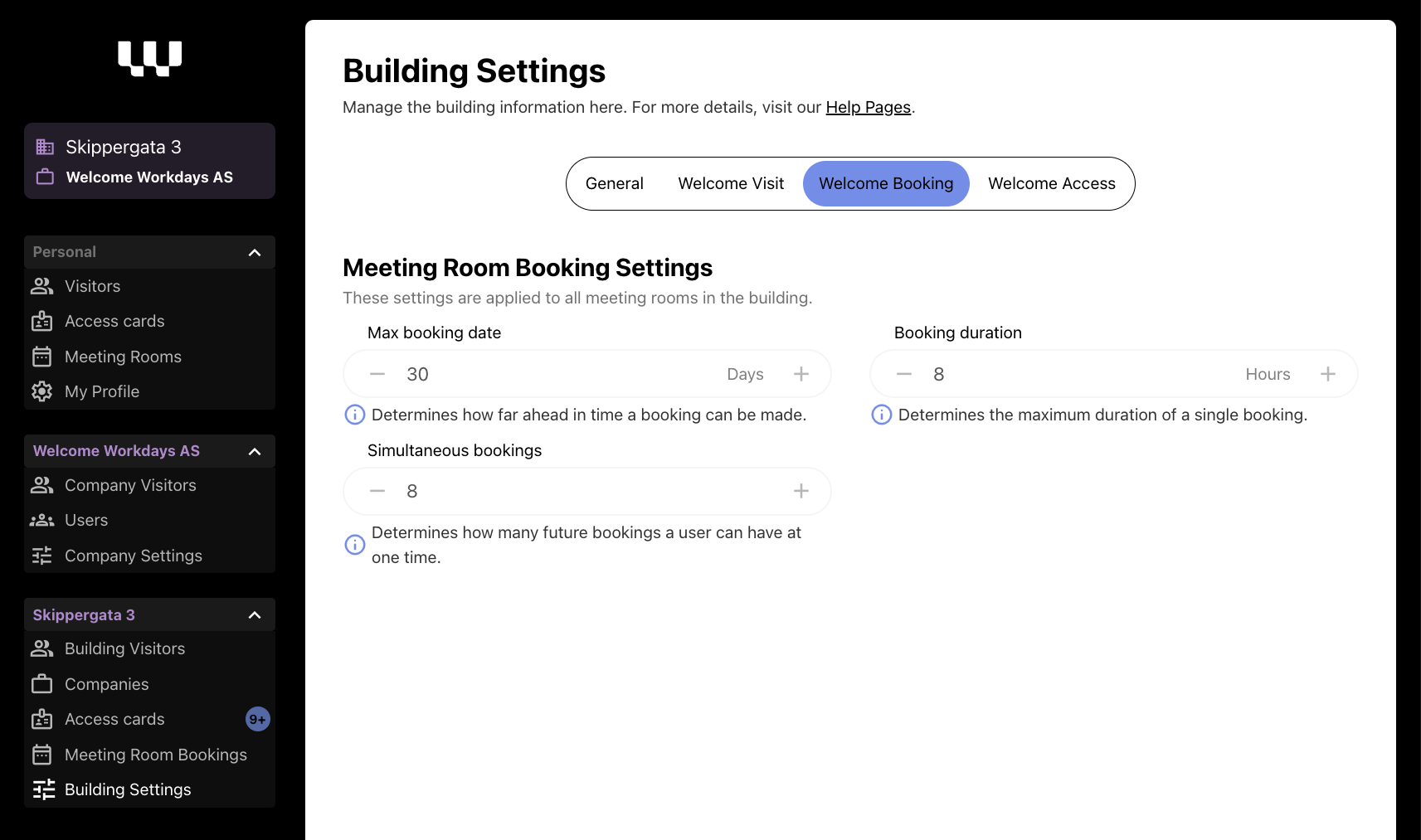
Manage room details and settings in the Building settings menu
Configure room availability and booking rules
Decide how far ahead people can book in your building
Set maximum meeting lengths
Control how many active bookings each person can have
Big shoutout to Sundtkvartalet and Entra for being our first Welcome Booking users! 🎈
Here is the team that developed Welcome Booking: Durgesh, Rohan and Daniel in Sundtkvartalet!

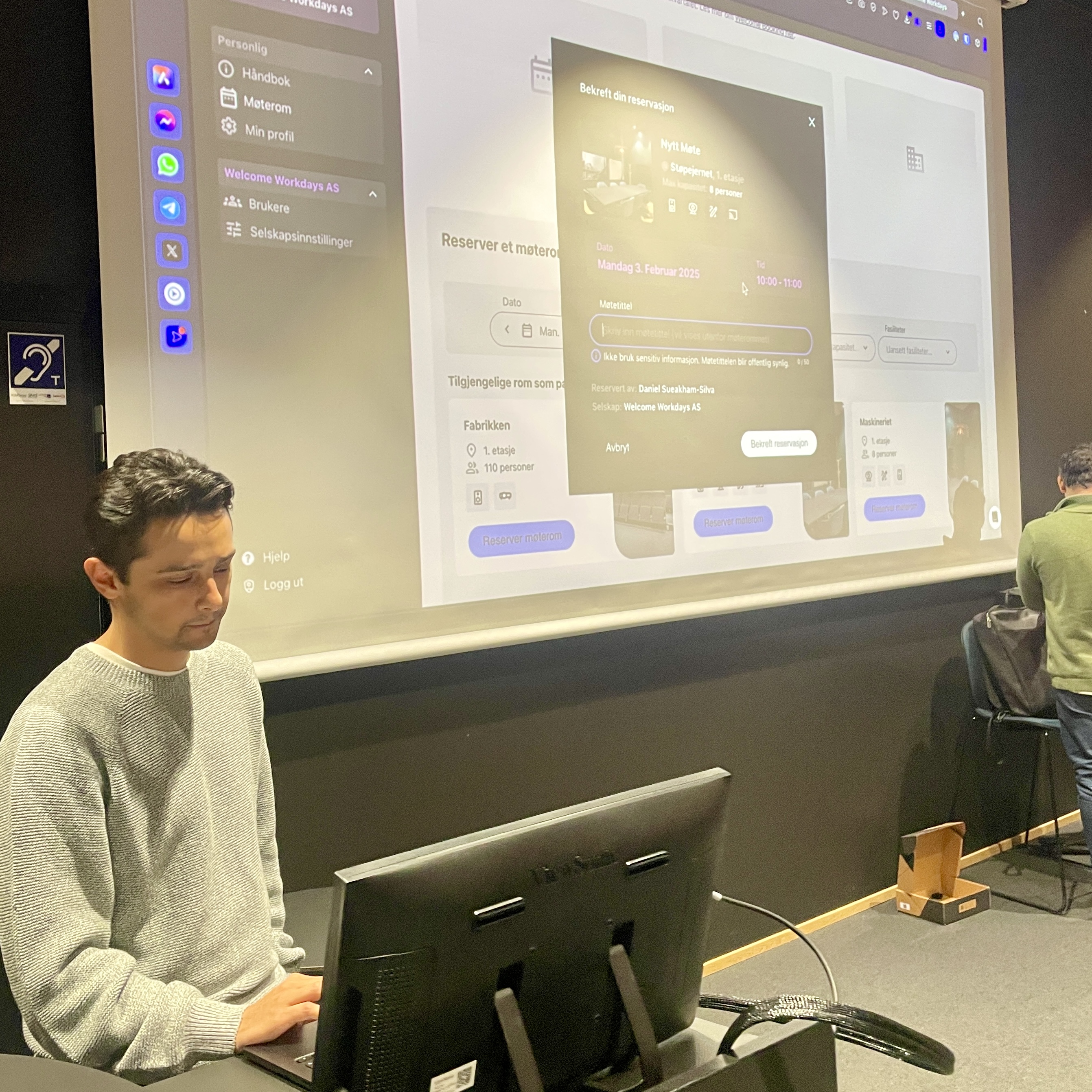
Fun fact: Our dev team was so excited about the launch, they might have booked every meeting room just to test it... multiple times! 😅
We're just getting started with Welcome Booking, and we'd love to hear what you think! Drop us a note if you have any feedback or ideas - we're all ears 👂
Welcome to your new meeting!
January 22nd, 2025
Improved
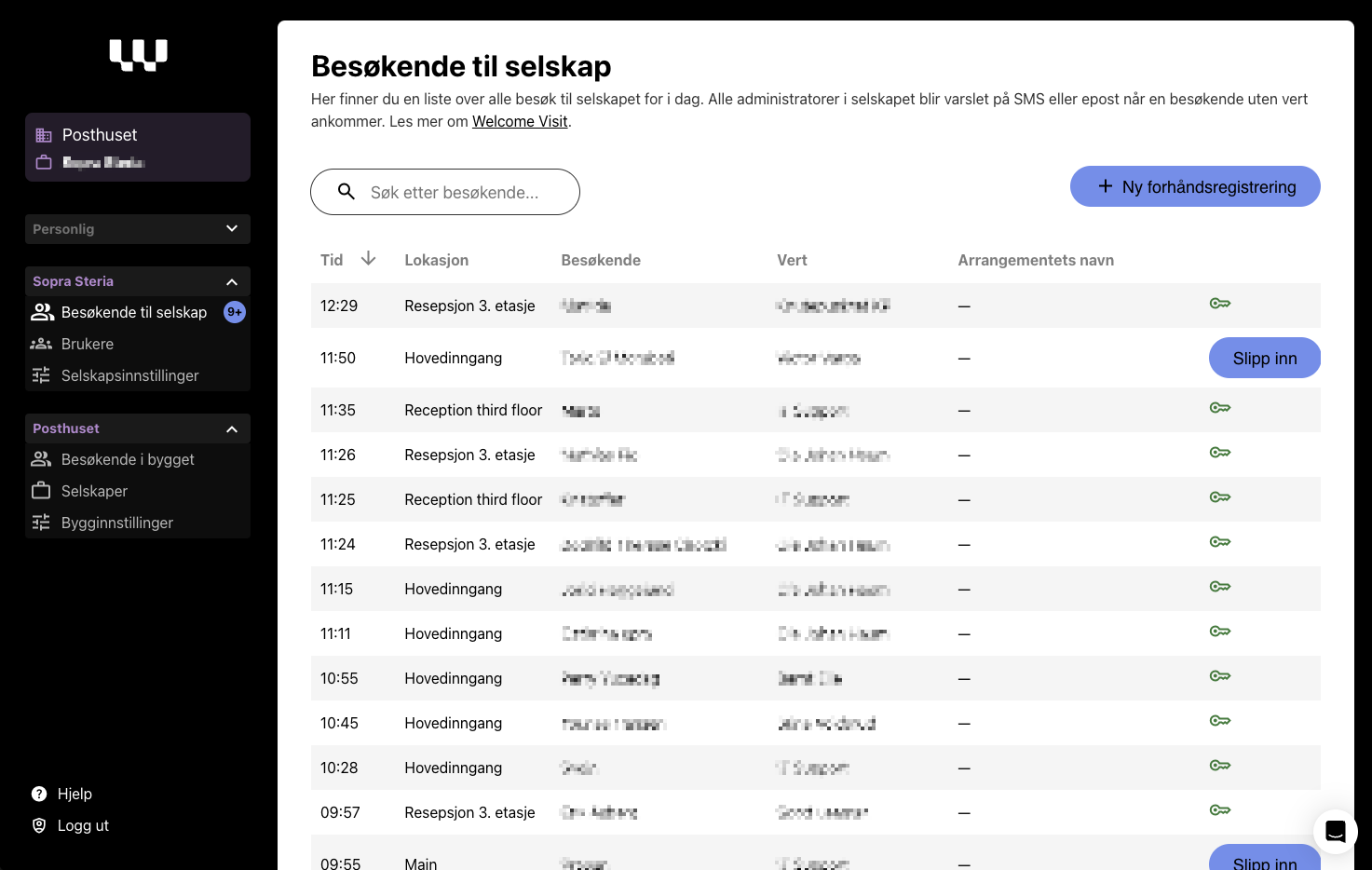
Company administrators now have a new clear overview of all visitors to the company today. Great for receptionists or office managers wanting to keep track of daily visits.
Improved Reception View
Comprehensive List View: Provides a clear overview of all visitors to your company, making it easy for receptionists and office managers to keep track of daily visits.
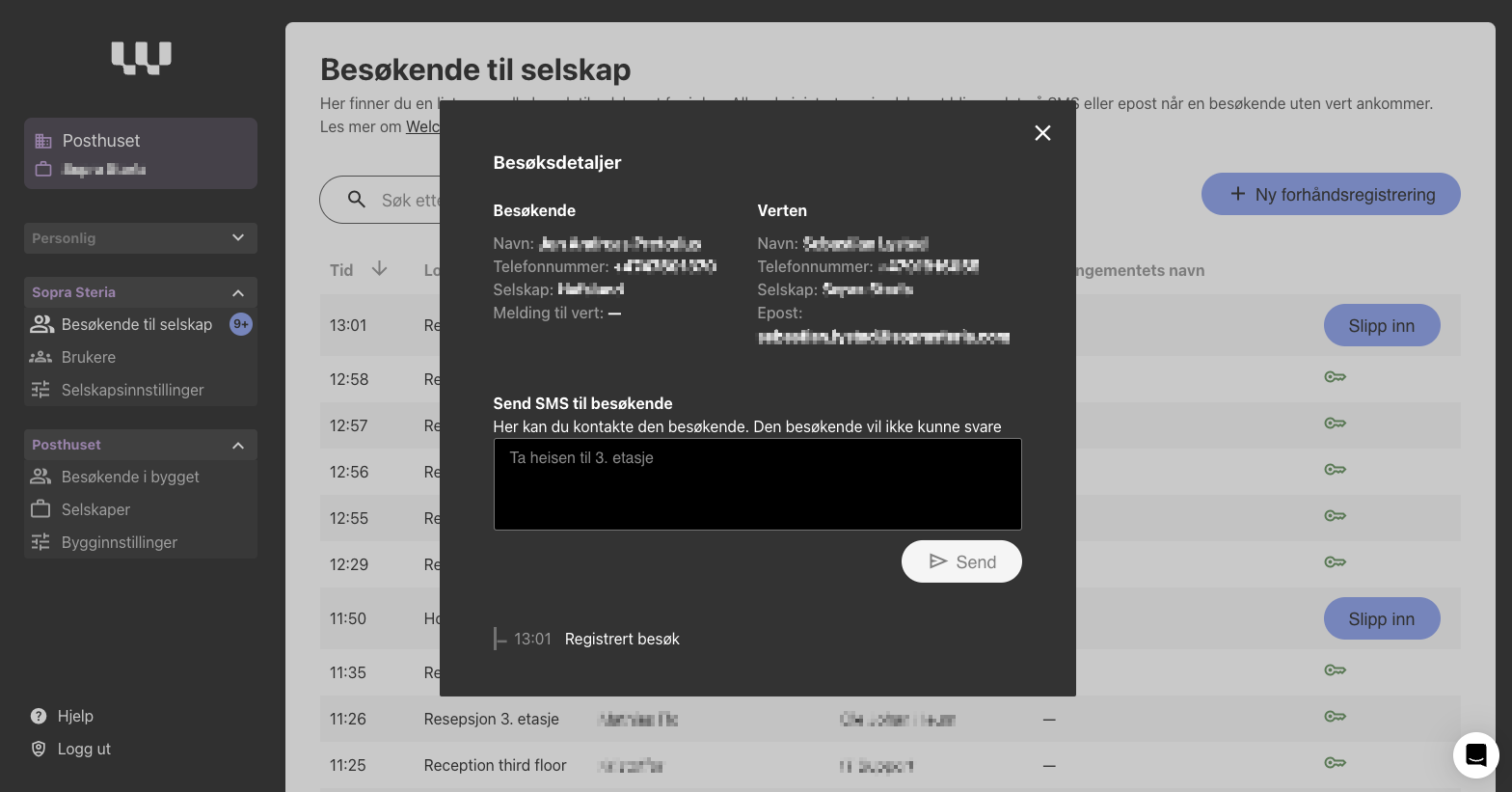
Visit Details: Offers detailed information for each visitor, including the host and any messages sent.
Send SMS to Visitors: Enables receptionists to send quick messages to visitors if their host has not responded
How to Use
If you are a company admin, simply log in and navigate to the "Company visitors" view under your company context in the admin panel. This feature is accessible via the left-hand menu.
January 16th, 2025
Today, we’ve squashed a few “bugs” reported by users to improve the Welcome Workdays experience. Here’s what’s new:
Improved consent screen:
Users are now required to actively tick the box to consent to marketing information.SSO restriction:
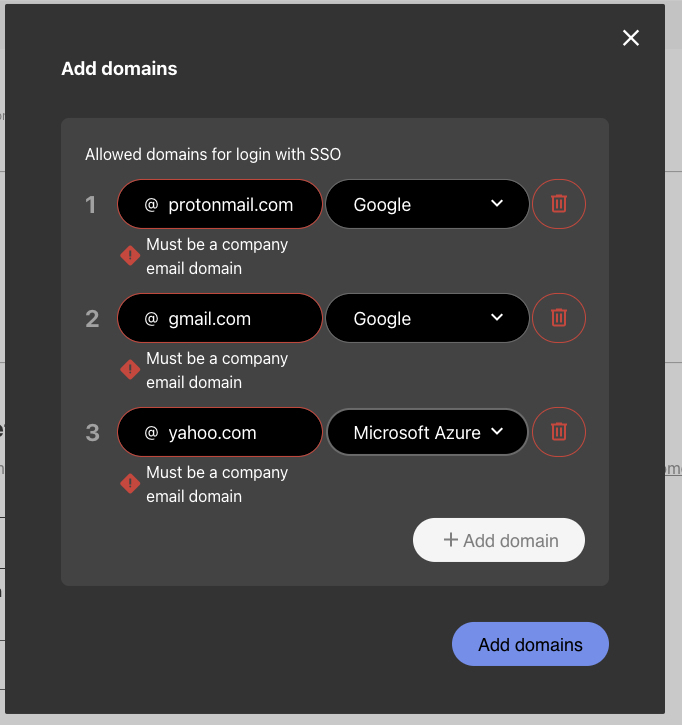
For generic domains, we ensure only users with company emails can enable SSO. Generic email domains like gmail.com, yahoo.com, protonmail.com, etc., are now blocked for SSO setup.Frozen card fix:
Resolved an issue preventing frozen card requests for users who had already been deleted.
Welcome to a slightly less buggy day! 🚀
January 10th, 2025
Improved
Fixed
We are continuously working to improve the Welcome Workdays experience. Here are the latest updates:
💳 Welcome Access: New Features and Enhancements
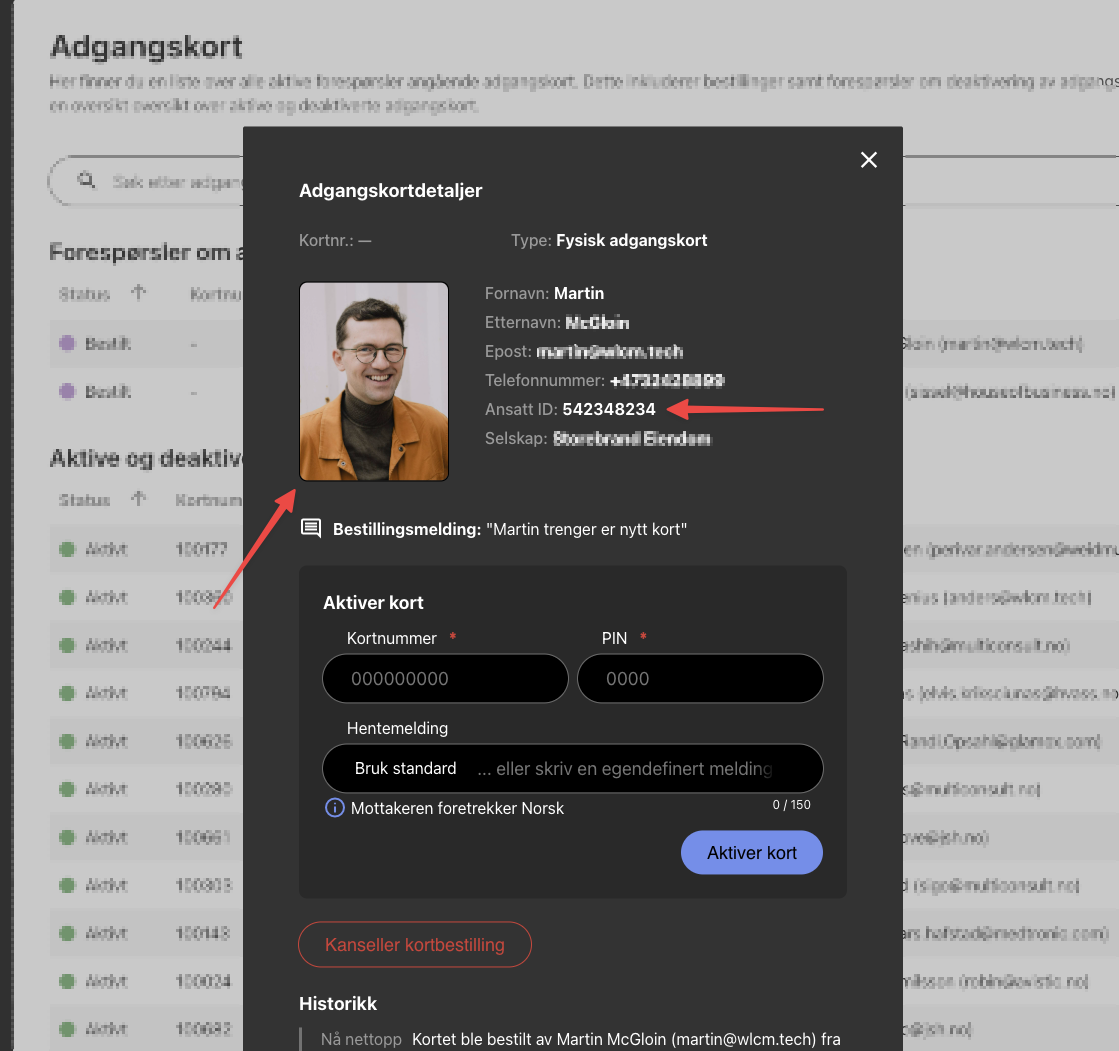
Improved Access Card Ordering Flow: The access card order modal for building administrators has been updated! We’ve added a download image button, making the process simpler and more user-friendly.
New Optional Employee ID Field: Administrators can now add an Employee ID when creating or editing user profiles. This optional field can be used for various purposes, such as card production for tenants who require internal employee IDs. It provides better tracking and easier management.
🐛 Bug-fixes
Improved Name Search in Welcome Visit: We’ve resolved an issue where searches with spaces didn’t return accurate results. You can now search for users in the building, including names with spaces, without any issues!
December 16th, 2024
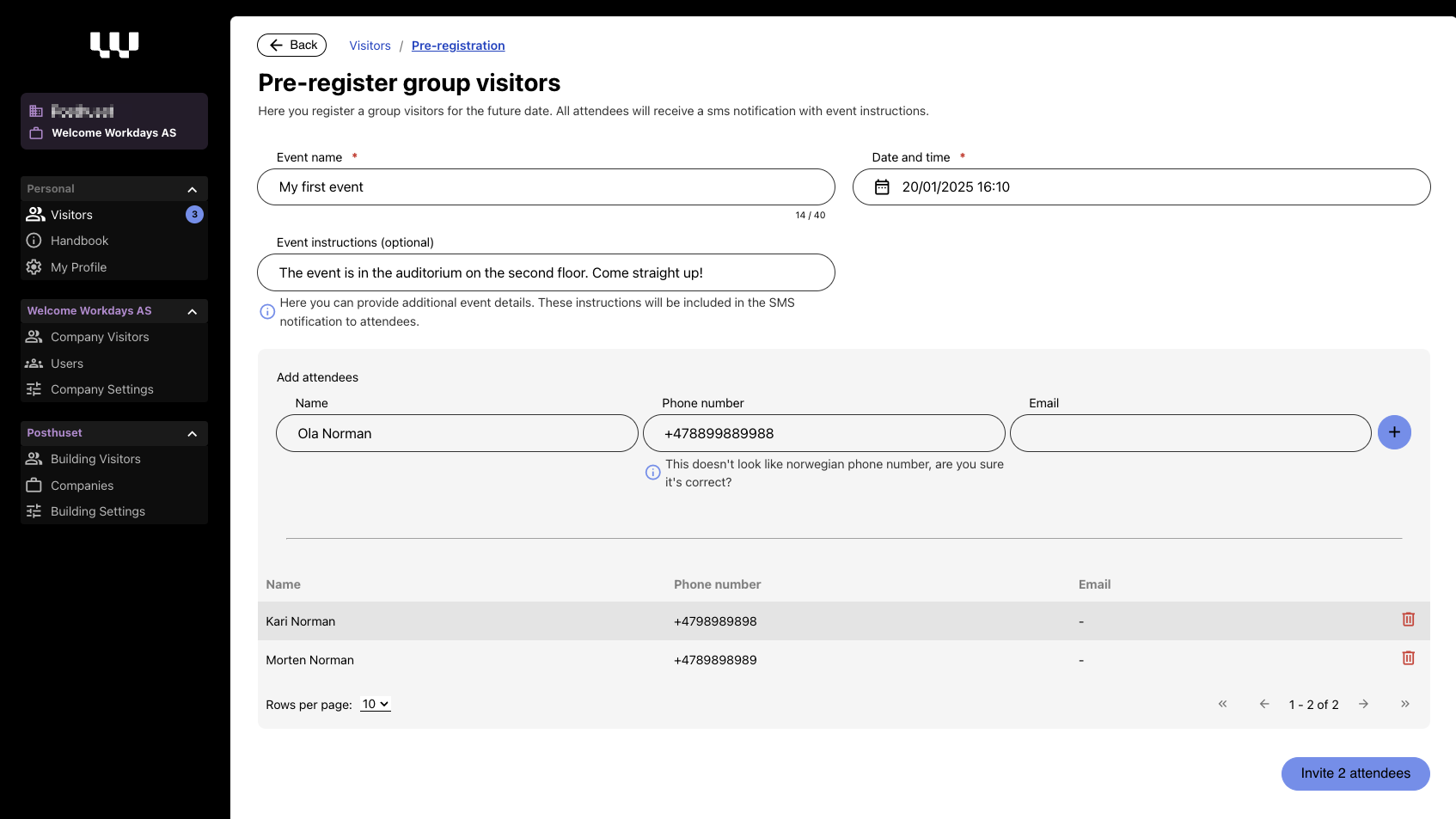
We’ve made it easier to manage visitors with our new pre-registration feature! Tenants can now pre-register guests, simplifying check-in and creating a better experience for both hosts and visitors.
Improved Visitor Management
Pre-registered Visitors:
Visitors can now be pre-registered with details like name, phone number, and company, and linked to an event or host.Simplified Check-in:
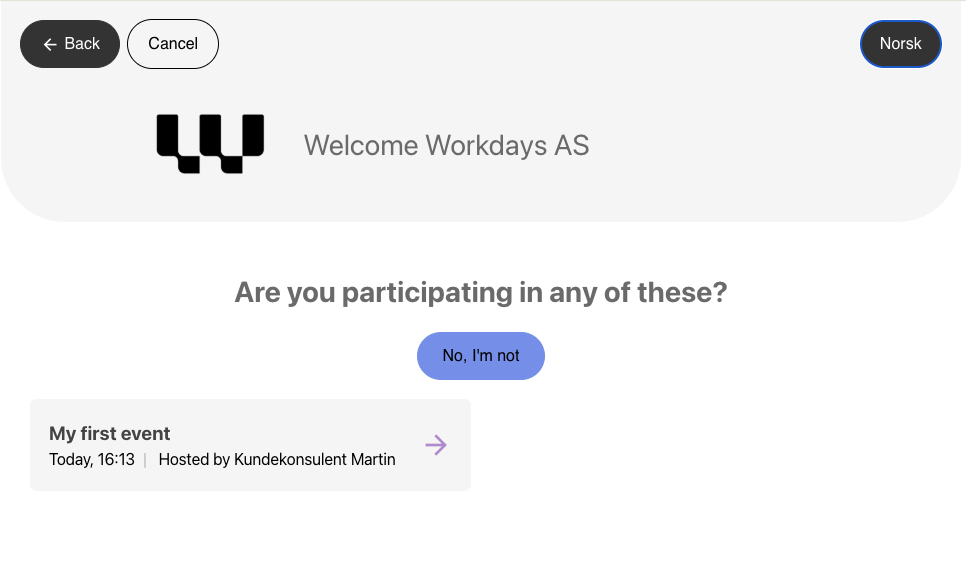
Pre-registered visitors can see the event for the company they are visiting directly on the registration screen, making the check-in process faster and more intuitive.Host Notifications:
Hosts are automatically notified when the first and last guest in a group arrives at the building.
When visitors arrive at the building, they can easily select the event on the visitor registration iPad, like this:
November 28th, 2024
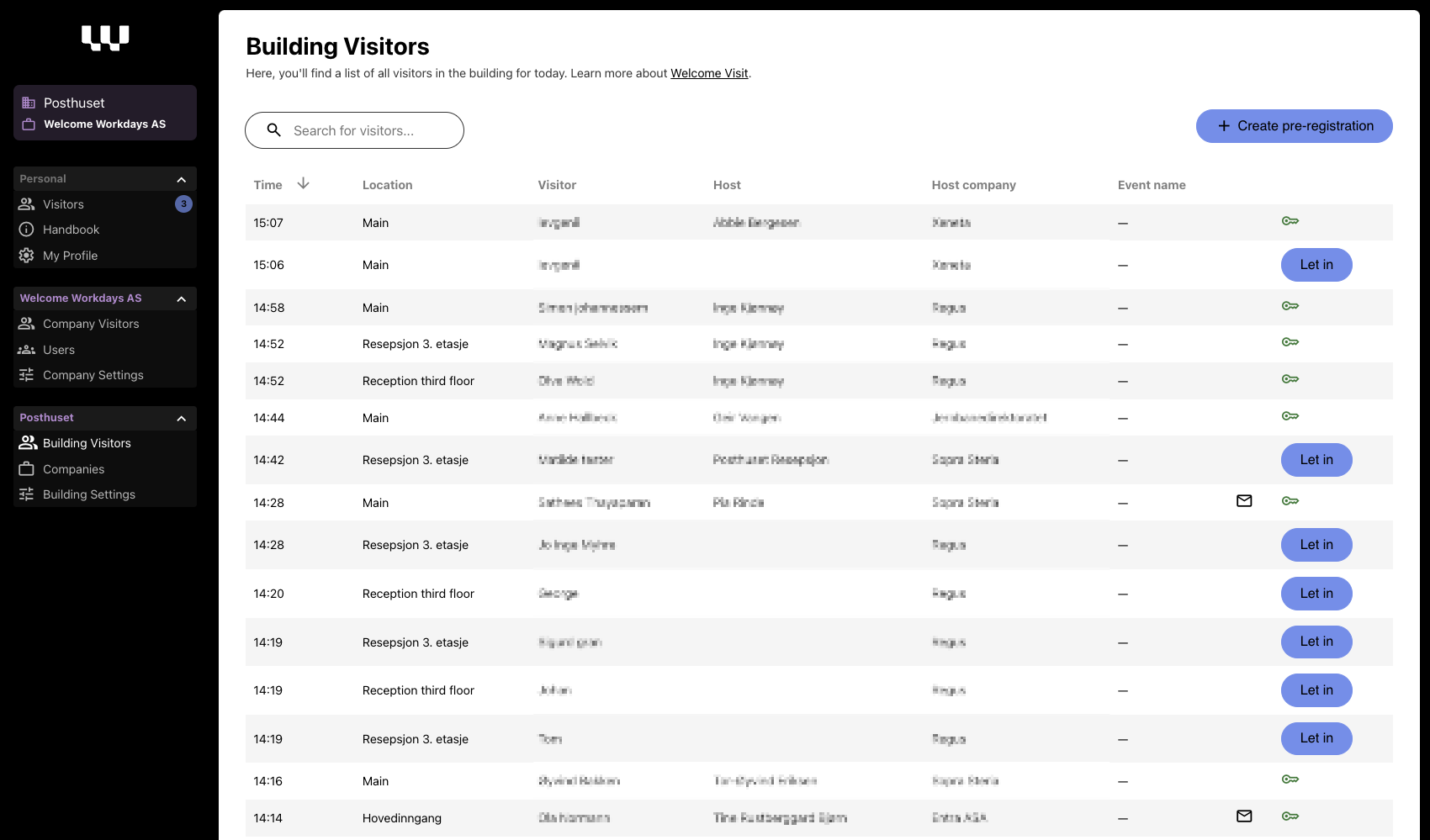
We’ve introduced a new feature designed for building administrators and receptionists to manage and monitor visitor activity in real-time.
Real-Time Visitor Management:
Building receptionists now have a complete overview of all visitors arriving at the building today. The visitor list is displayed in a clear table format, with the most recent visitors at the top.
Visitor Details: Receptionists can click on any visitor entry to view detailed visit information, including the visitor’s name, phone number, host details, and event history (e.g., registration and access granted).
Host Follow-Up Monitoring: This feature enables receptionists to check if the host has responded to and approved the visitor’s entry, ensuring smooth coordination and faster assistance.
Key Benefits
Improves the receptionist’s ability to assist visitors efficiently.
Enhances transparency by providing real-time updates.
Simplifies visitor management for large buildings with high traffic.
October 1st, 2024
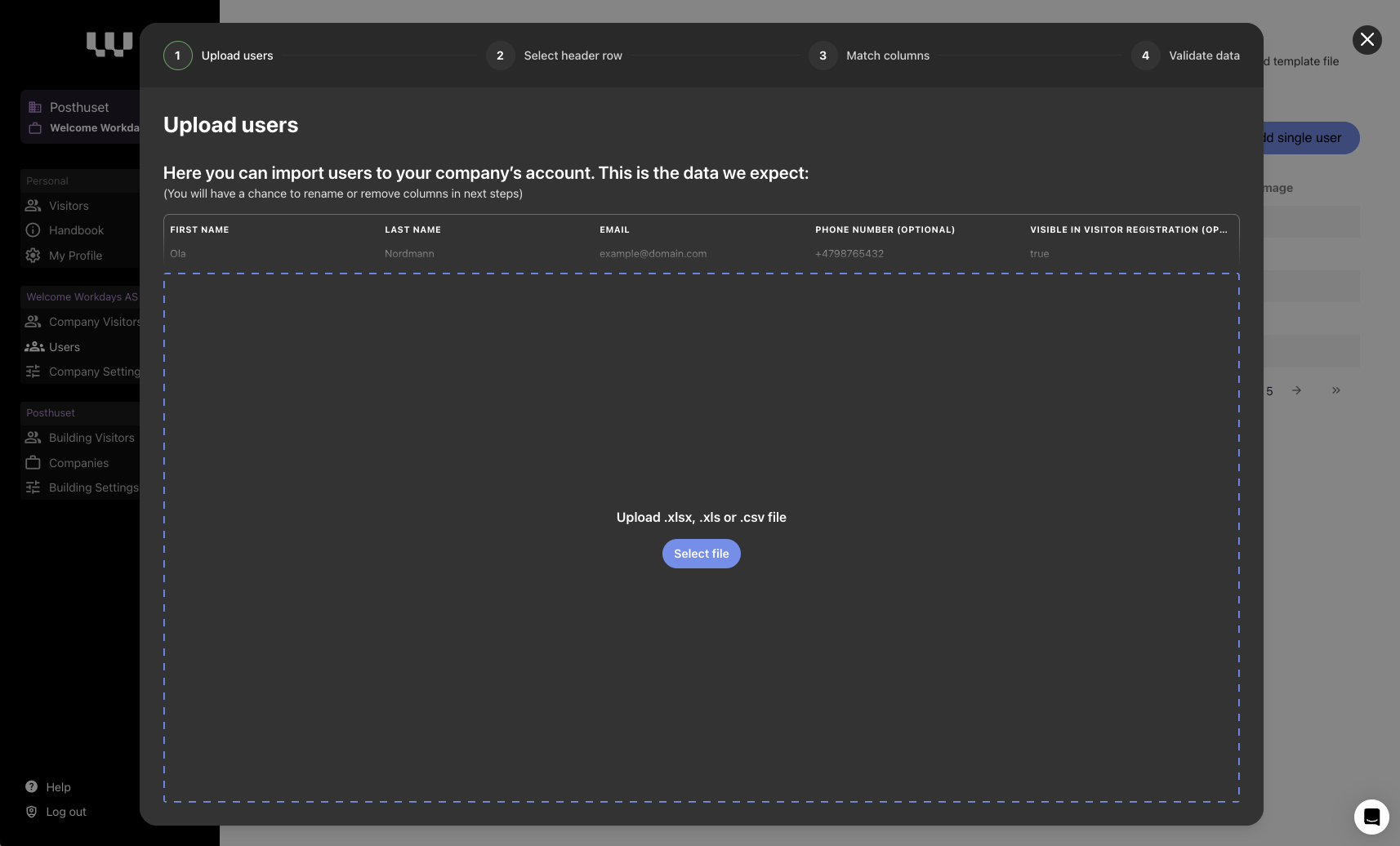
We’ve made it easier for company admins to invite users to their accounts in Welcome Workdays! With our new feature, you can now import users by uploading a CSV file.
How It Works
Quick Bulk Import:
Upload a file with names, emails, and optionally phone numbers and visibility status in Welcome Visit – we’ll handle the rest.Effortless Invitations:
Once uploaded, the system will send invitation emails to all users you’ve added.Data Validation:
We validate the file for errors before import. If errors are found, nothing is imported, and we’ll show you what needs fixing.
How to Create a CSV File?
You can bulk invite users by uploading a CSV (comma-separated file). The column names must be:
firstName
lastName
email
phone (optional, but must include country code)